



Introduction
Laptops are everywhere. From home offices and study desks to small business counters and meeting rooms, they are one of the most commonly used electrical devices in Australia. Because they seem small and efficient, many people assume their energy use is negligible.
In reality, the energy consumption of a laptop depends on how it is used, how often it is charged, and how it compares to alternatives like desktop computers. Over a year, even modest power draw can contribute meaningfully to household or business electricity bills.
This guide explains laptop energy consumption per hour, how charging works, the difference between desktop vs laptop energy consumption, and practical steps you can take to cut costs without sacrificing performance.
What is the energy consumption of a laptop?
The energy consumption of a laptop is measured in watts while operating and kilowatt-hours (kWh) over time. Most modern laptops use between 20 and 60 watts during typical use, depending on workload and screen brightness.
Light tasks such as web browsing, document editing, or video calls generally sit at the lower end of that range. More intensive activities like video editing or software development can push consumption higher.
When translated into energy use, a laptop running at 40 watts for one hour uses 0.04 kWh. Over an eight-hour workday, that becomes 0.32 kWh. On an average household electricity rate, this is relatively low, but it adds up with daily use.
Comparing laptop and desktop energy consumption
When comparing desktop vs laptop energy consumption, laptops are almost always more efficient. Desktop computers typically draw between 150 and 500 watts depending on configuration and usage.
A desktop running for eight hours a day at 250 watts consumes 2 kWh per day. A laptop under similar usage might consume less than one fifth of that amount. This difference becomes significant over a year.
For households or small businesses deciding between setups, laptops offer a clear advantage in energy efficiency. This is especially relevant in home offices where devices run for long, uninterrupted periods.
Factors affecting a laptop’s energy usage
Several factors influence how much energy a laptop uses:
- Screen size and brightness play a major role. Larger, brighter displays draw more power, especially when set to maximum brightness for long periods.
- Processor type and workload also matter. High-performance processors consume more energy when under load, particularly during multitasking or heavy applications.
- Finally, peripheral devices such as external monitors, USB hubs, and docking stations increase overall energy use, even if the laptop itself remains efficient.
.png)
How to calculate your laptop's energy costs
Calculating laptop energy costs is straightforward. Start by estimating the laptop’s average power draw in watts. This information is often available from the manufacturer or charger rating.
Multiply the wattage by hours of use per day, then divide by 1,000 to convert to kWh. Multiply that figure by your electricity rate.
For example, a laptop averaging 40 watts used for eight hours a day consumes around 0.32 kWh daily. Over a year, that is roughly 117 kWh. At $0.30 per kWh, the annual cost is about $35.
Tips to reduce laptop energy consumption
Reducing laptop energy consumption does not require major changes.
Lower screen brightness to the minimum comfortable level. This alone can cut power use noticeably.
Enable sleep mode when stepping away, rather than leaving the laptop running idle. Even short breaks add up over time.
Disconnect external devices when not needed. Chargers, monitors, and accessories continue to draw power if left connected.
Impact of different laptop models on energy use
Not all laptops are created equal. Ultrabooks and lightweight models are designed for efficiency and typically use less power than gaming or workstation laptops.
Gaming laptops often include dedicated graphics cards, which significantly increase energy consumption during use and charging.
For households or businesses focused on minimising electricity costs, choosing a model built for efficiency can make a meaningful difference over the life of the device.
Understanding battery life and charging costs
Laptop charger energy consumption depends on charger size and charging behaviour. Most laptop chargers are rated between 45 and 100 watts.
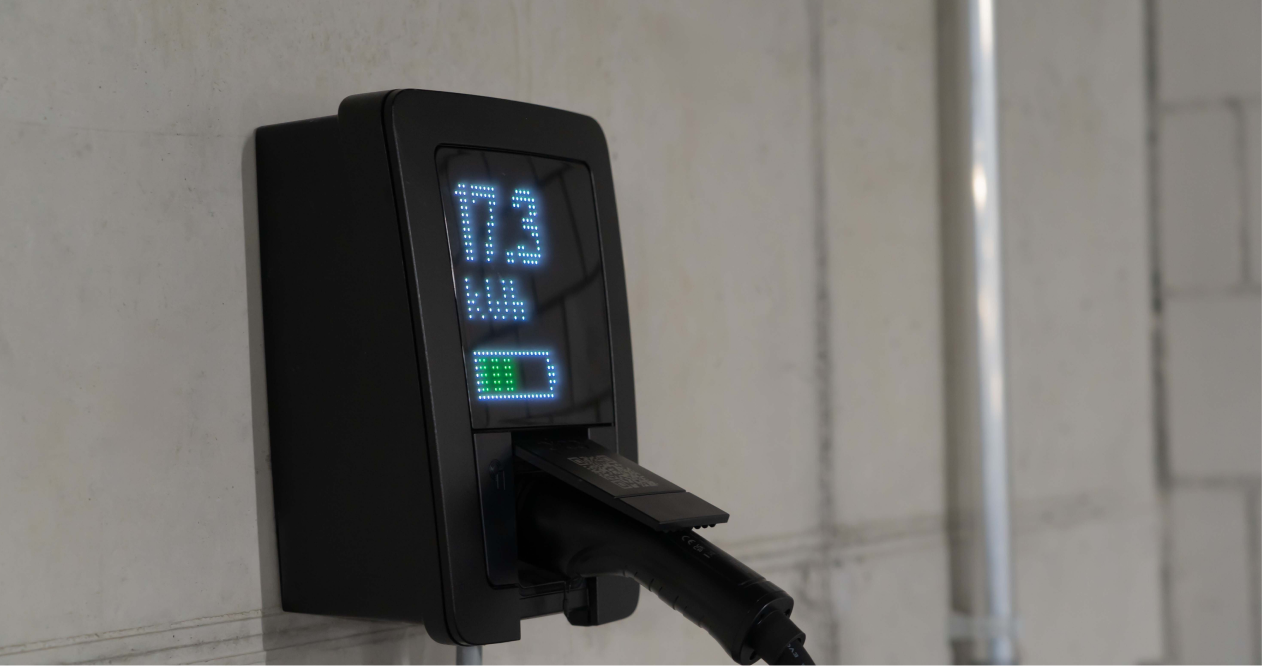
Charging a laptop from empty to full typically uses between 0.05 and 0.1 kWh, depending on battery size and efficiency losses.
Leaving a laptop plugged in after it is fully charged does not significantly increase consumption on modern devices, but older models may still draw small amounts of standby power.
.png)
Energy-efficient practices for laptop use
Using power saver mode can significantly reduce laptop energy consumption by limiting background activity and processor speed.
Scheduling updates and backups outside working hours can also help manage peak household electricity usage.
For businesses, standardising laptop settings across staff ensures energy efficiency is applied consistently without relying on individual habits.
How to choose an energy-efficient laptop
When purchasing a laptop, look for energy efficiency certifications and manufacturer power consumption data.
Solid-state drives, efficient processors, and LED displays generally use less energy than older alternatives.
Choosing the right size and performance level for your actual needs avoids paying for capacity that increases power use without delivering value.
How Zembl can help
Understanding device-level energy use is one part of managing electricity costs. For households and small businesses, small efficiencies across everyday equipment add up.
Zembl helps businesses understand where energy is being used, compare electricity plans, and avoid paying more than necessary. Whether you are reviewing a single bill or managing multiple sites, Zembl makes energy clearer and easier to control.
FAQs
How much energy does it take to charge a laptop?
Most laptops use between 0.05 and 0.1 kWh for a full charge. The exact amount depends on battery size and charger efficiency.
How does laptop energy consumption compare to desktops?
Laptops typically use 70 to 90 percent less energy than desktop computers for similar tasks, making them a more efficient option.
What factors affect the amount of energy a laptop uses?
Screen brightness, processor workload, connected devices, and model design all influence energy use.
Can using power saver mode reduce laptop energy consumption?
Yes. Power saver mode reduces processor activity and background tasks, lowering overall power draw.
How can I calculate the annual cost of running my laptop?
Estimate average wattage, multiply by daily usage hours, convert to kWh, and multiply by your electricity rate.
.png)
.png)
.png)
.png)
.svg)

